Turn one or many JPG images into a single, tidy PDF that opens on any device.
By DocConvertPRO Editorial Team3 min read
Forms, banks and offices often ask for a single PDF, while all you have is a handful of phone photos. Converting JPG images to PDF is quick, but a few choices decide whether the result looks professional or sloppy.
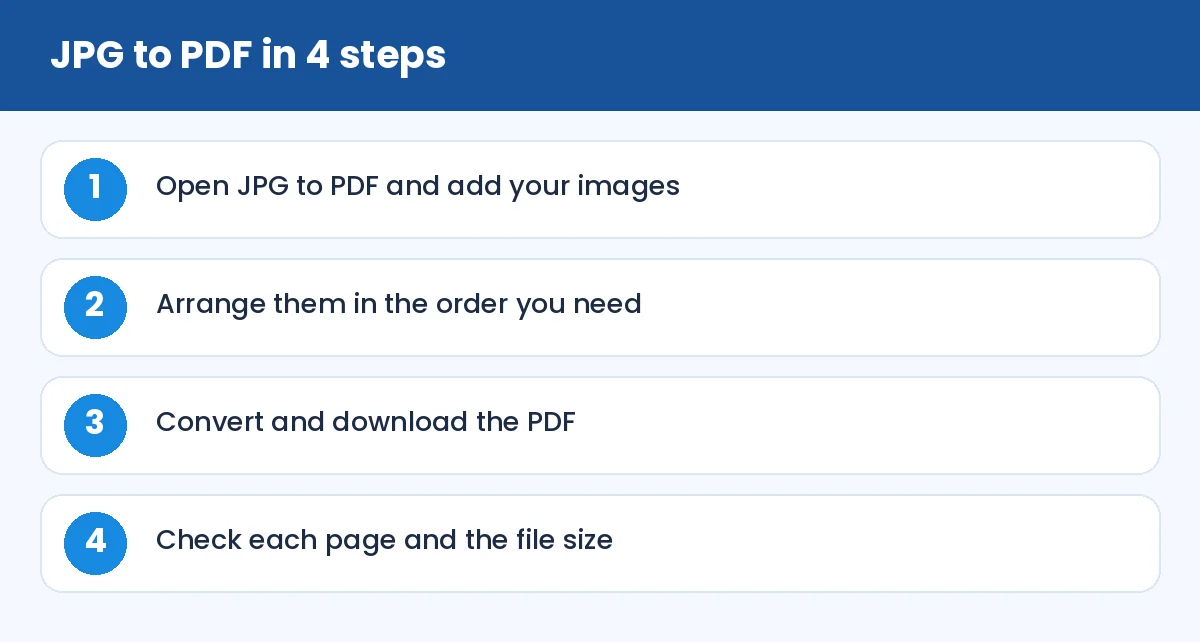
How to Convert JPG to PDF Without Losing Quality: JPG to PDF in 4 steps (infographic)
How to convert
Open JPG to PDF, add one or more images and put them in order. Convert and download. Each image becomes a page, and the pages are kept in the order you chose.
Take better photos first
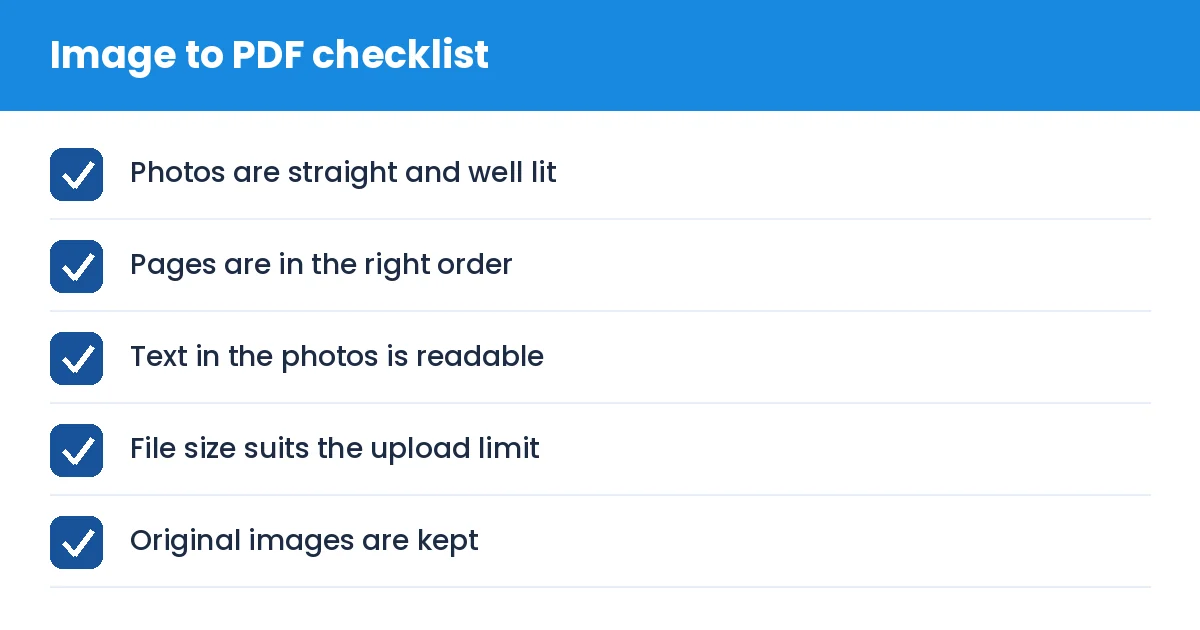
The PDF is only as good as the photos in it. For documents:
Place the paper on a flat, plain surface in daylight.
Hold the phone directly above the page so the text is not slanted.
Fill the frame with the page, but leave a little margin.
Avoid shadows from your hand or phone.
Many phones include a built-in document scanner mode that straightens and cleans pages automatically. Use it if you have it.
Handle the size
A modern phone photo can be 3 to 6 MB, so a five-page PDF may become 20 MB. Before converting, you can shrink the images, or afterwards you can compress the PDF with Compress PDF. For a specific limit such as 200 KB, see compress PDF to 200 KB.
iPhone images that will not add
If your pictures are HEIC files, convert them first with HEIC to JPG. Read more in our guide to converting HEIC photos.
Combine with other PDFs
Once you have a PDF, you can join it with other documents using Merge PDF. That is how you build a single application file from scans, certificates and a typed resume.
JPG or PNG?
JPG is best for photographs. PNG is better for screenshots and sharp graphics. Both can be converted, and you can compare the formats in our PDF to JPG vs PNG guide.
Tip: if text in the PDF looks soft, the source photo was probably small or blurry. Retake it closer, in better light, rather than trying to sharpen it afterwards.
How to Convert JPG to PDF Without Losing Quality: Image to PDF checklist (checklist)
Summary
Take straight, well-lit photos, convert them in the right order and check the final size. A tidy PDF makes a good first impression with any office.