PDF to JPG vs PNG: Which Image Format Should You Choose?
Both formats turn a PDF page into an image, but they behave very differently. Here is how to choose.
By DocConvertPRO Editorial Team3 min read
When you convert a PDF page into an image, you usually get a choice between JPG and PNG. They look similar at first glance but suit different jobs. The wrong choice means either a blurry screenshot of text or an unnecessarily huge file.
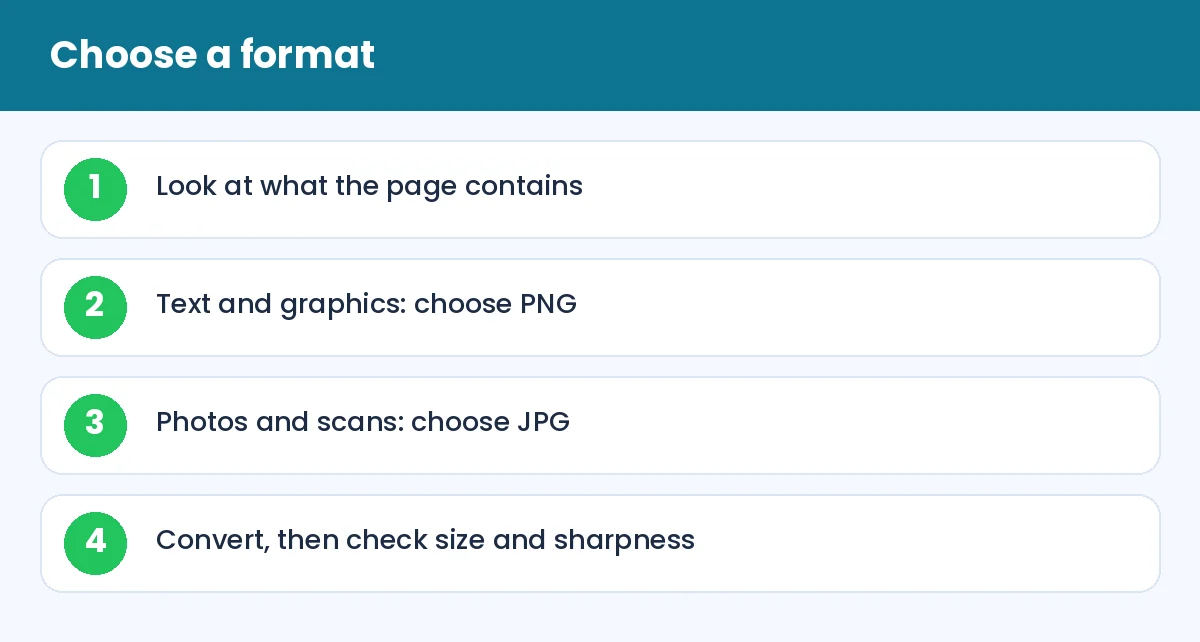
PDF to JPG vs PNG: Which Image Format Should You Choose?: Choose a format (infographic)
JPG in plain words
JPG uses lossy compression, which means it throws away some detail to make the file small. For photographs this is ideal, because the human eye does not notice the lost detail. For text and sharp lines, it can add faint noise around the edges.
PNG in plain words
PNG is lossless. It keeps every pixel exactly as it is, so text, tables and diagrams stay crisp. It supports transparency. The cost is larger files, especially for photographic content.
Which one for which PDF?
Scanned photo pages: JPG
Typed text pages: PNG
Charts and diagrams: PNG
Presentation slides: PNG for sharp text, JPG for smaller files
Pages with large photos: JPG
How to convert
Use PDF to JPG to export each page as an image, and PDF to PNG when you need lossless output. You can then use Compress image if you need a particular size.
Size matters for uploads
If a form accepts only JPG under a small limit, JPG is your friend. If you need to put a page into a presentation and the text must be sharp, choose PNG. When a PNG is too heavy, reduce the pixel dimensions with Resize image rather than switching to a poor quality JPG.
Resolution is separate
Both formats depend on resolution. A page converted at low resolution will look blurry in either format. Choose a higher resolution for printing and a moderate one for the screen.
Going back to PDF
Images can be turned back into a PDF with JPG to PDF or PNG to PDF. Remember that the resulting PDF contains pictures of text, so the text will not be selectable unless you run OCR with Image to Text.
Tip: keep the original PDF. It is the best master copy, because it can be exported again at any quality and format.
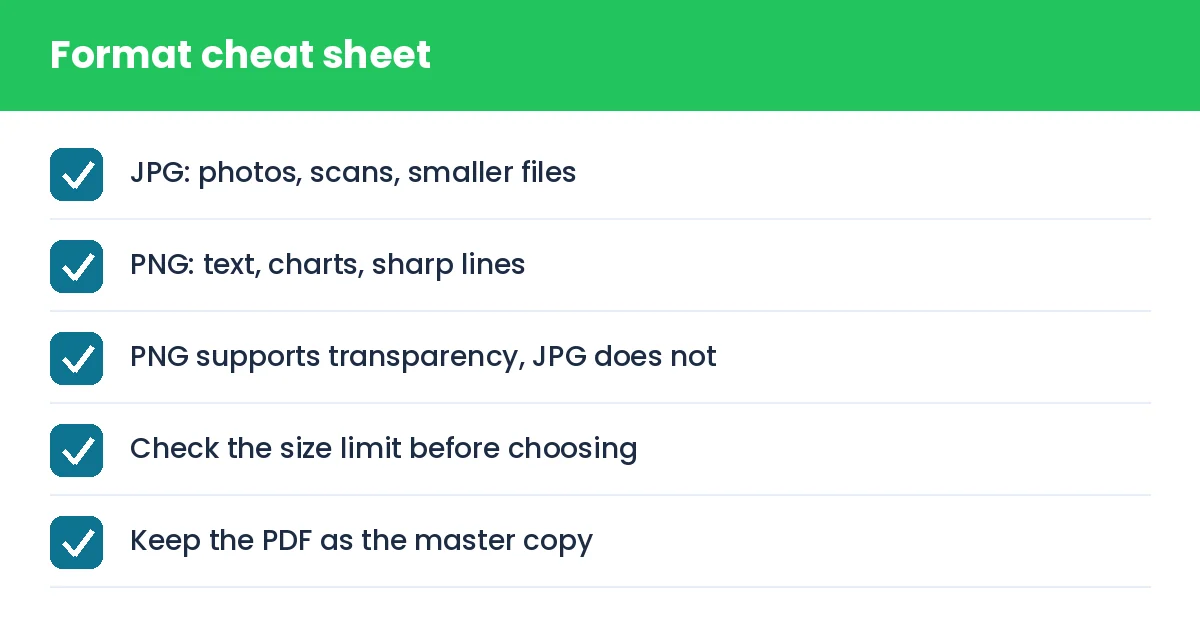
PDF to JPG vs PNG: Which Image Format Should You Choose?: Format cheat sheet (checklist)
Summary
JPG for photos and small files, PNG for text and sharp graphics. Decide by content and by the size limit you must meet.